Using Foreign Transponders in Tapkey
Important: This is a Premium Feature, available exclusively with the Premium Plan.
What are Foreign Transponders?
Custom or "foreign" transponders are NFC tags that have not been pre-initialized by DOM or Tapkey. These include any third-party transponders available on the market that meet the necessary technical requirements for storing Tapkey access credentials.
1. Technical Requirements
To ensure compatibility with the Tapkey ecosystem, foreign transponders must meet the following hardware specifications:
- Chip Type: Must be MIFARE DESFire EV1, EV2, or EV3.
- Storage: A minimum of ~3kb of available memory is required to store Tapkey access data.
- No specific Master Key preinitialized.
2. Enable Functionality in the Web Portal
Before you can add foreign transponders to your locking system, you must enable the feature in the Tapkey Web Portal.
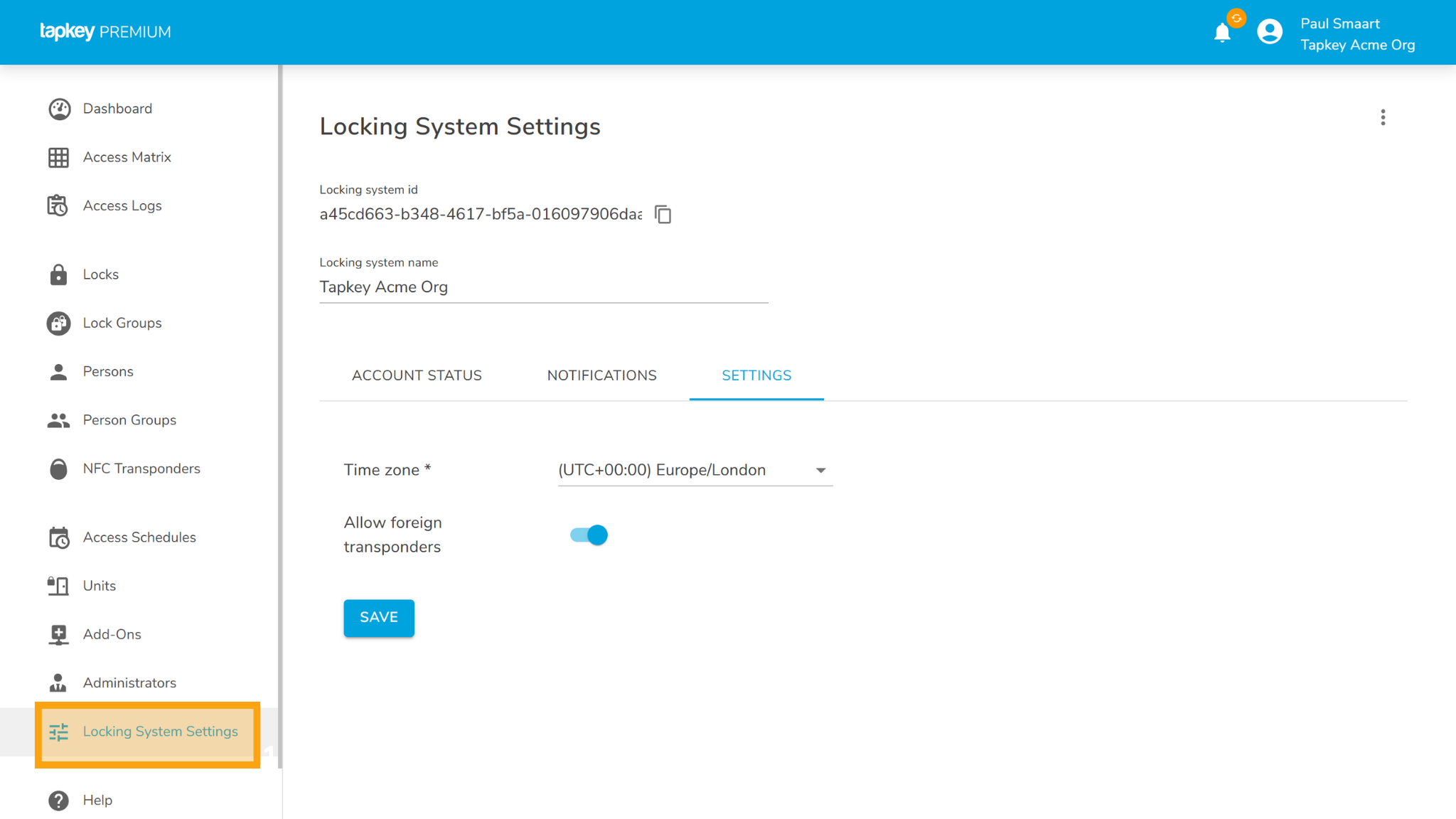
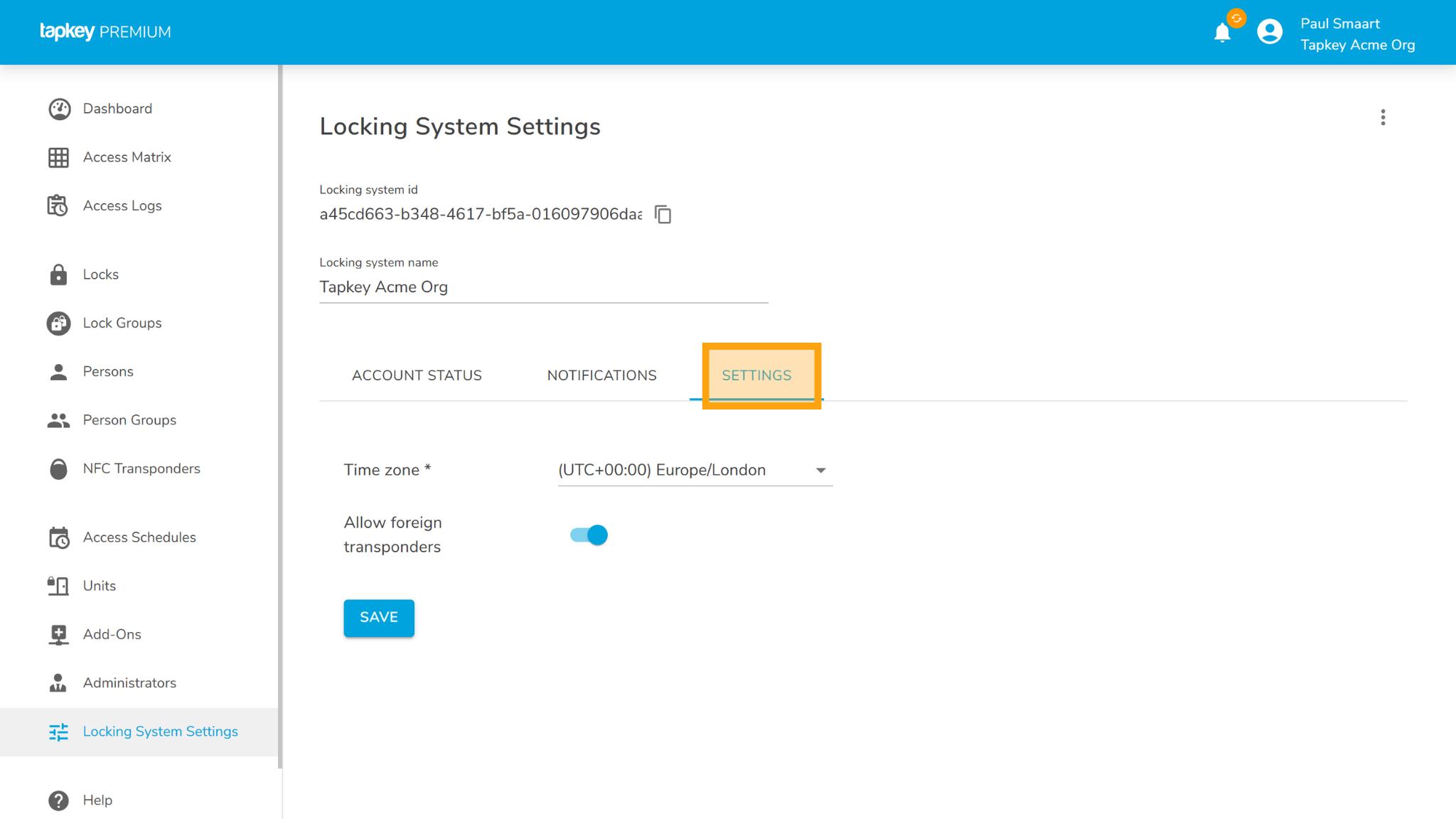
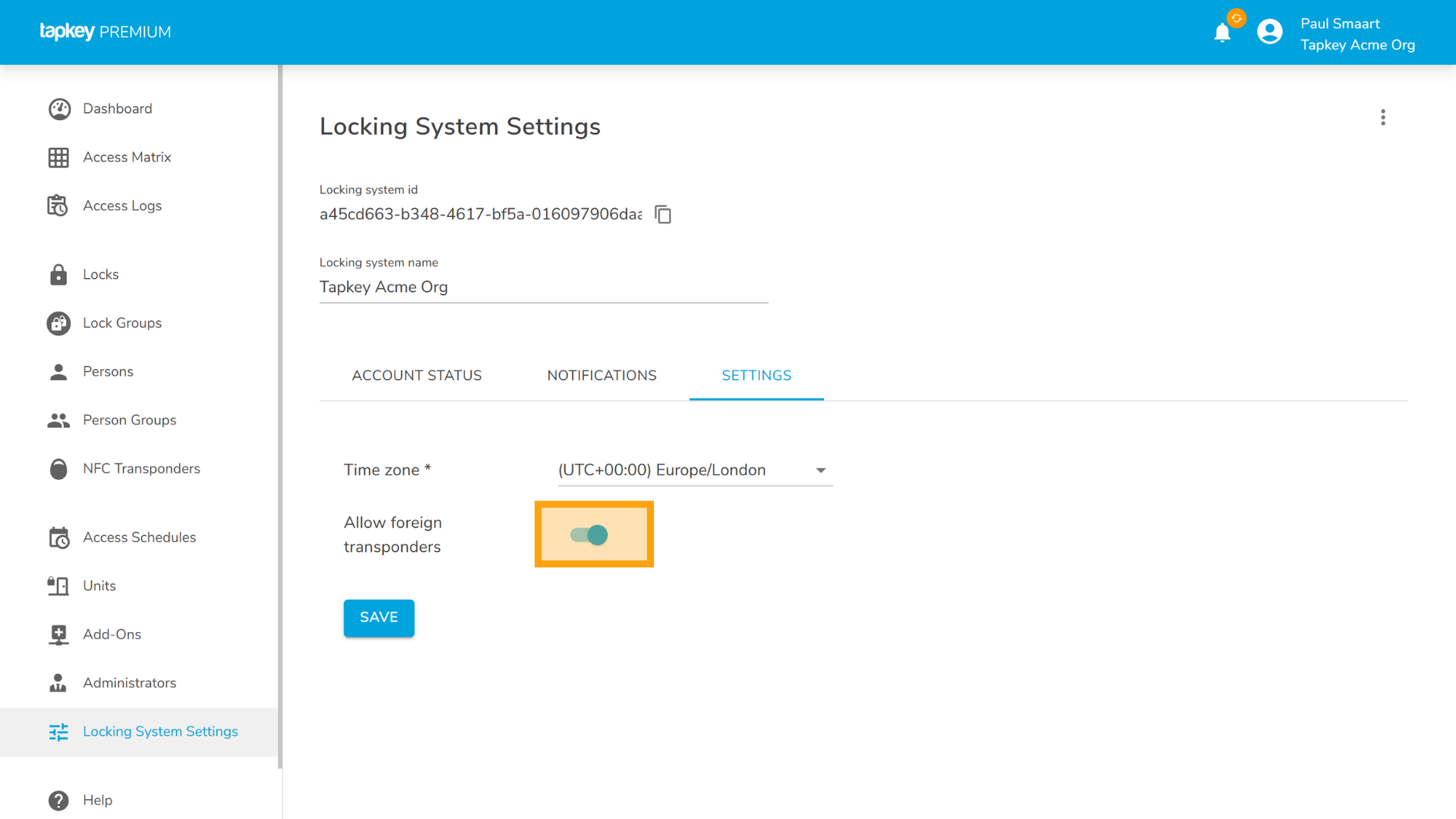
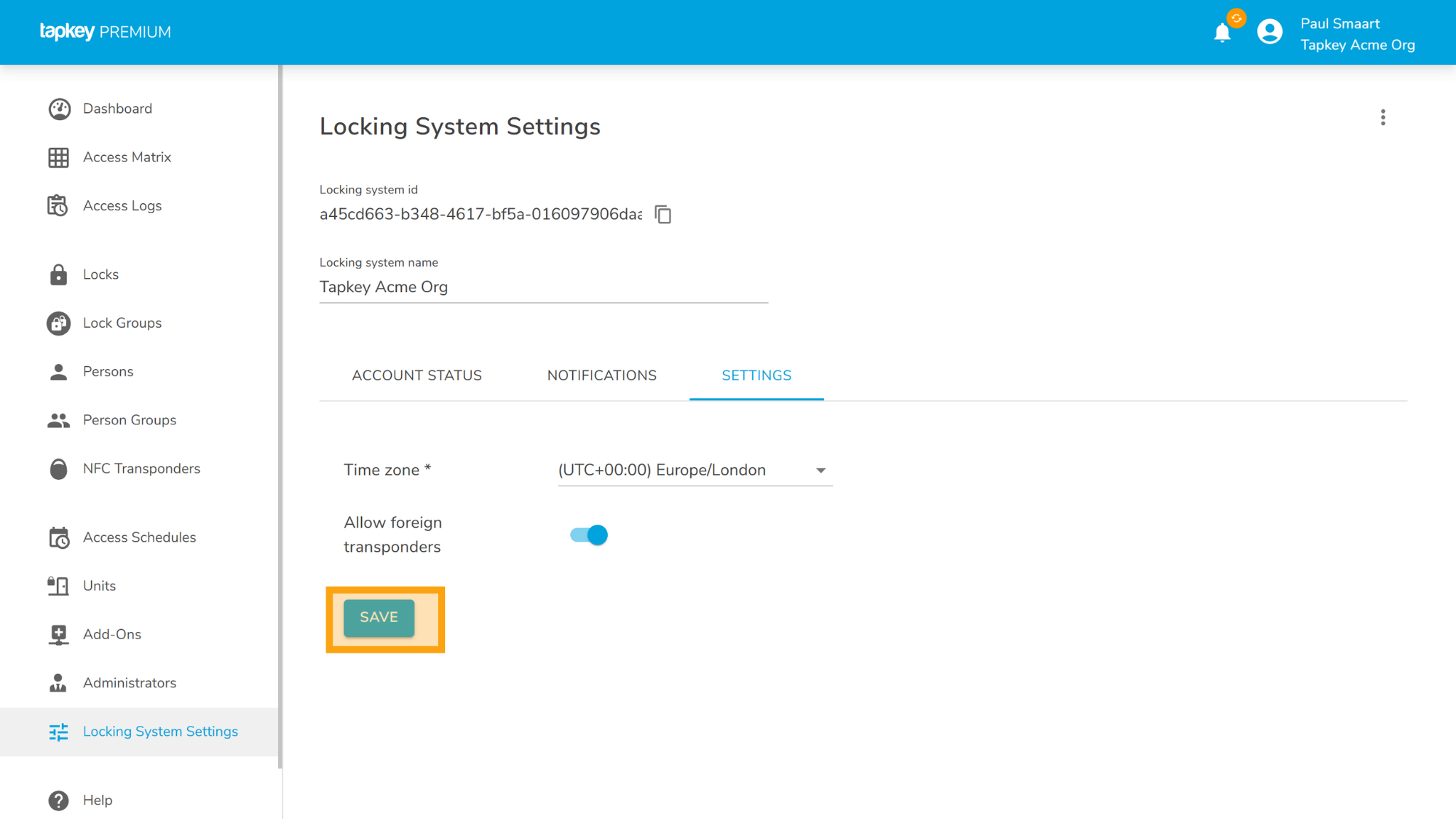
- Log in to the Tapkey Web Portal using your administrator account.
- Navigate to Locking System Settings.
- Select the Settings tab.
- Locate the option Allow foreign transponders and toggle it to enabled.
- Click Save to apply the changes.
Important Security Note
The initialization process for foreign transponders is highly security-sensitive. It is critical that initialization is performed by an administrator in a secure environment. Ensure that no unauthorized persons or devices are within range to intercept the communication between the Tapkey app and the transponder during this task.
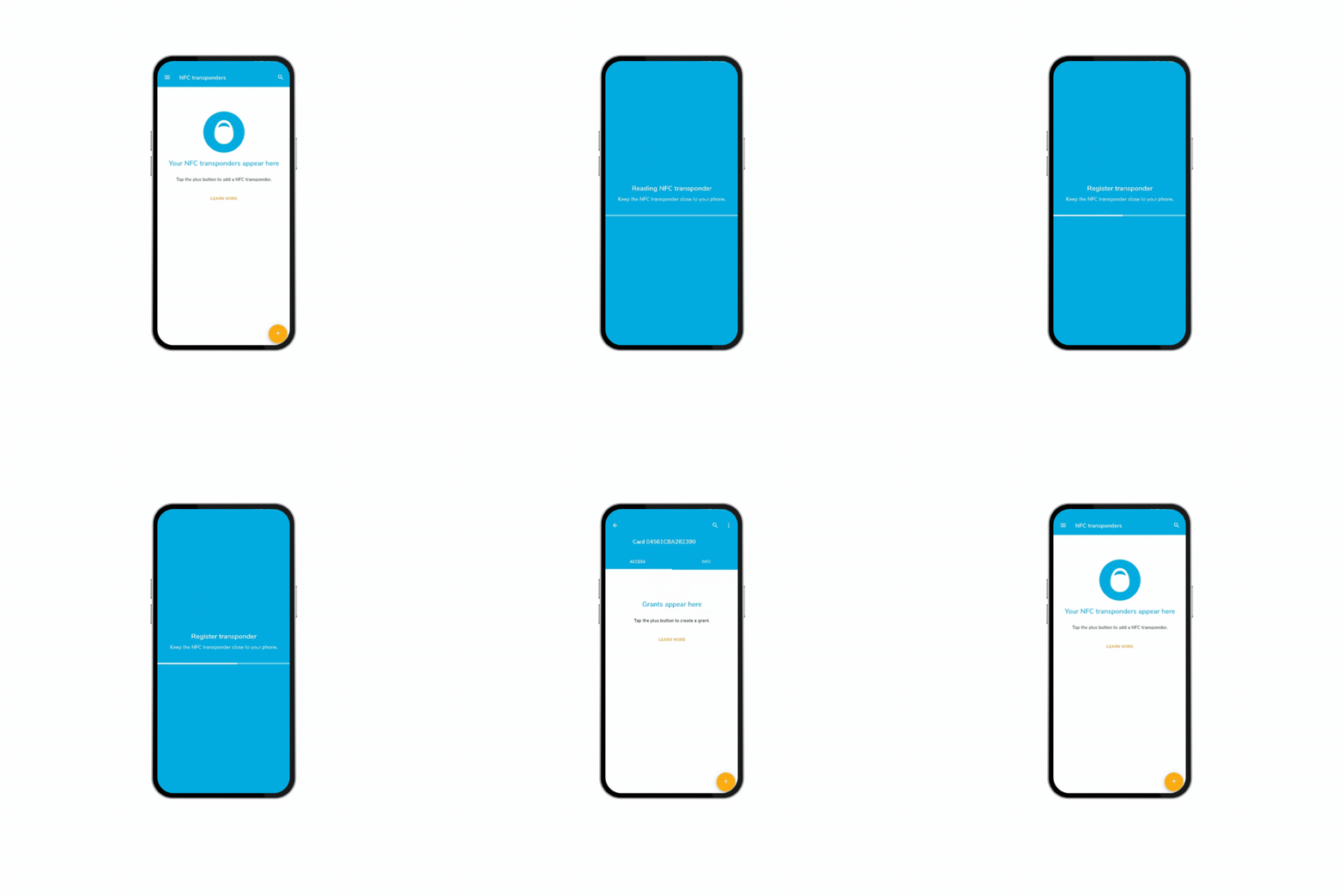
3. Adding Transponders via the Tapkey App
Once the functionality is enabled in the portal, you can use the Tapkey App to register and manage your Foreign transponders.
For detailed instructions on how to link these transponders to specific individuals, please refer to our guide.
Was this article helpful?
That’s Great!
Thank you for your feedback
Sorry! We couldn't be helpful
Thank you for your feedback
Feedback sent
We appreciate your effort and will try to fix the article