Blocking and Unblocking Transponders
Block Transponder is a functionality that enables restricting a transponder from being used to open locks. It is required to synchronise the transponder to ensure it does not have access, or synchronise the locks (see Revocation Models help center article).
How to Block a Transponder
- Go to the transponder details page.
- Click the ellipsis button (...) in the top right.
- Select Block Transponder.
- Choose Synchronise now if possible, otherwise you can select Synchronise later.
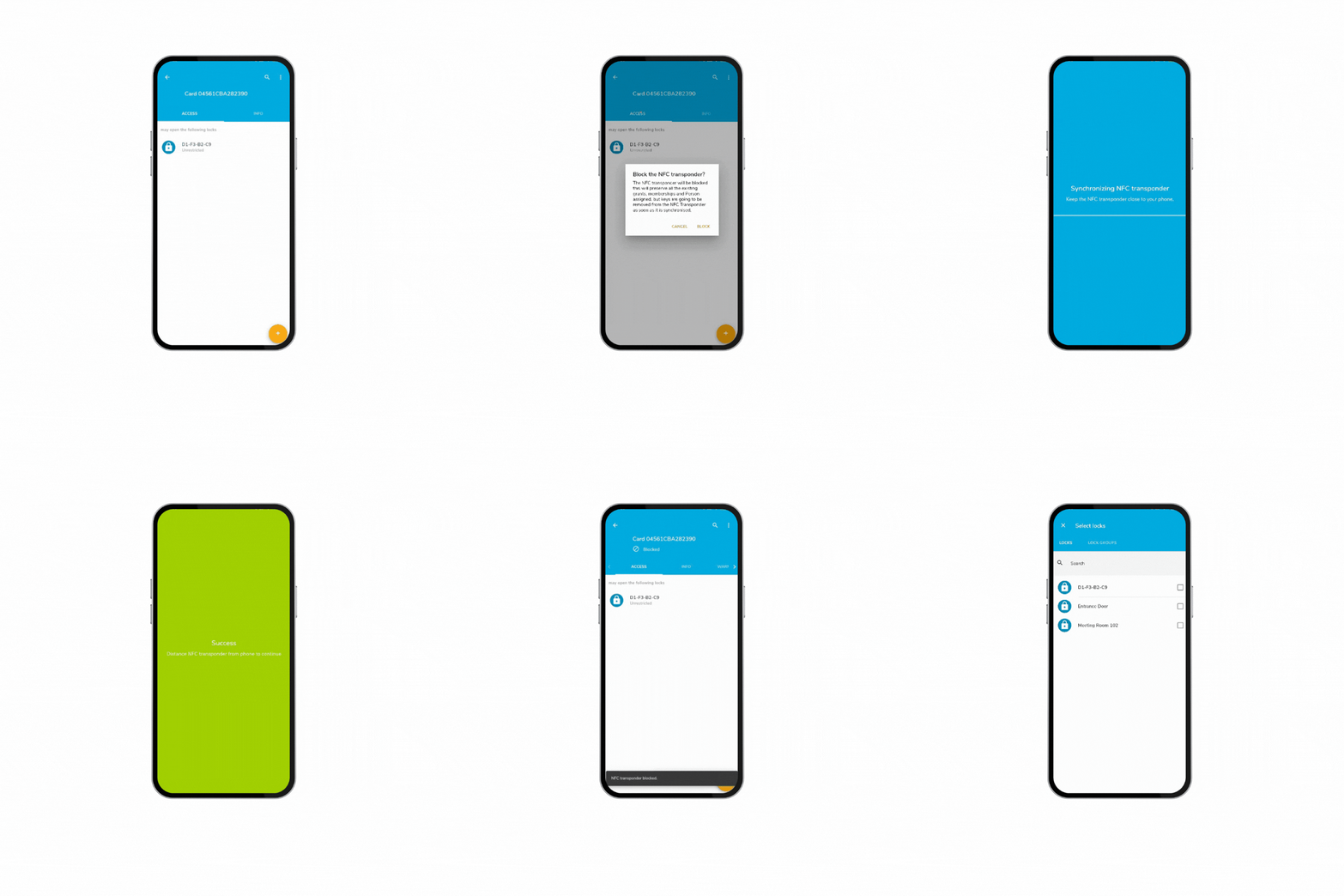
Important: If you cannot synchronise now and it is a priority to restrict access, you must synchronise all affected locks. This will allow the locks to restrict the transponder.
Managing Blocked Transponders
- When a transponder is blocked, you can still assign it to persons and change grants.
- However, if users synchronise the transponder, grants will not be updated.
Unblocking a Transponder
When the transponder is unblocked, keys are transmitted.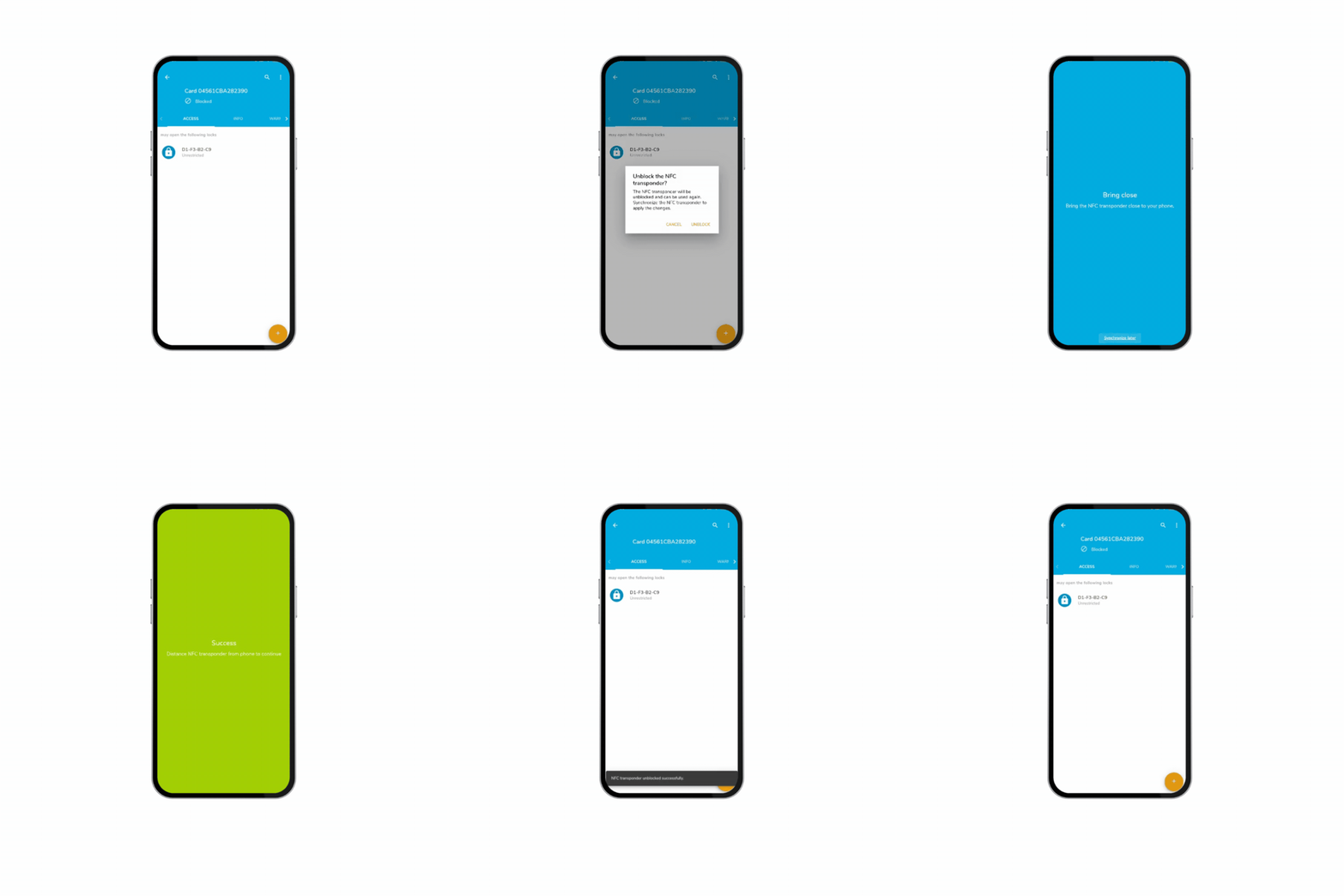
Note for DOM Tag and Foreign Transponders: Unblocking a transponder requires that the Locks are synchronized and the NFC transponders transporting the Block List (all the ones synchronized previously) are synchronized, this to prevent this transponder to have a restricted access.
Was this article helpful?
That’s Great!
Thank you for your feedback
Sorry! We couldn't be helpful
Thank you for your feedback
Feedback sent
We appreciate your effort and will try to fix the article